
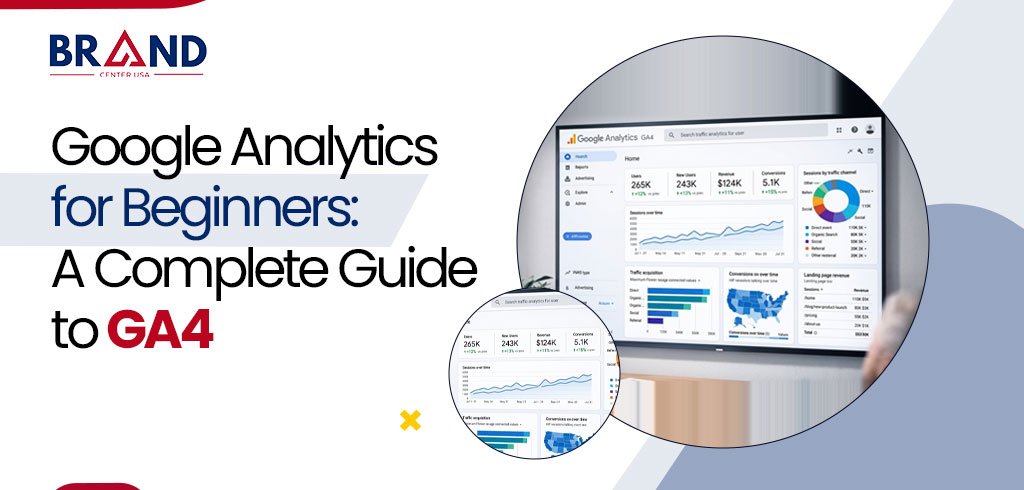
Quick Answer: What is GA4 and why does it matter?
Google Analytics 4 (GA4) is Google’s event-based analytics platform that replaced Universal Analytics in July 2023. It tracks every user interaction, page views, clicks, scrolls, and purchases, as an “event,” uses machine learning to fill data gaps created by cookie restrictions, and connects directly to Google Ads, Search Console, and BigQuery so businesses can turn raw traffic into revenue decisions.
If you have logged into Google Analytics for the first time and felt a little lost, you are not alone. Over 20 years of combined experience training marketing teams on analytics platforms has taught us one consistent truth: GA4 rewards people who understand the “why” behind the data, not just the “where” to click.
This guide breaks down GA4 in plain English, backed by Google’s own documentation and real-world implementation patterns we use daily at Brand Center USA for clients across e-commerce, local service, and B2B industries.
What Is Google Analytics 4 (GA4)?
GA4 is the current, and only, version of Google Analytics available today. Universal Analytics (UA) stopped processing new data in mid-2023, which means every business now runs on GA4 whether they set it up intentionally or were auto-migrated. Unlike UA, which measured “sessions” and “pageviews” as separate hit types, GA4 treats absolutely everything a visitor does, a page view, a video play, a scroll, a file download, a purchase, as an event with its own set of parameters.
This event-based model was built for a multi-platform, privacy-first world. GA4 was designed to measure user journeys across both websites and mobile apps in one property, and to keep working even as third-party cookies and consent restrictions reduce the amount of raw data available, by using modeling and machine learning to estimate the gaps.
GA4 vs. Universal Analytics: The Core Differences
Understanding what changed helps beginners avoid the most common setup mistakes we see agencies and in-house teams make.
| Aspect | Universal Analytics (Old) | GA4 (Current) |
|---|---|---|
| Data model | Sessions and pageviews | Events with parameters |
| Cross-device tracking | Limited | Built-in, ID-based |
| Data gaps from privacy limits | Not addressed | Filled using AI modeling |
| Default engagement metric | Bounce rate | Engagement rate & engaged sessions |
| Reporting flexibility | Fixed reports | Exploration reports, custom funnels |
| Native BigQuery export | Paid feature only | Free on all properties |
Key GA4 Terms Every Beginner Should Know
- Event: Any recordable user action, a page view, click, purchase, or video play.
- Parameter: Extra detail attached to an event, such as the value or currency of a purchase.
- Key event (formerly “conversion”): A business-critical action, like a form submission or checkout.
- User property: A characteristic of the visitor, such as device type or location.
- Data stream: The channel, website, iOS app, or Android app, feeding data into your GA4 property.
- Measurement ID: The unique code (format G-XXXXXXXXXX) that connects your site to your GA4 property.
How to Set Up GA4: A Step-by-Step Overview
Setting up GA4 correctly the first time prevents months of inaccurate reporting down the line. Here is the practical sequence we follow for every new client onboarding:
- Create a Google Analytics account at analytics.google.com and sign in with a business Google account.
- Create a GA4 property, entering your business name, reporting time zone, and currency.
- Set up a data stream for your website or app to generate your Measurement ID.
- Install the tracking code via Google Tag Manager, a direct install, or your CMS’s built-in integration.
- Configure Consent Mode so data collection respects cookie consent choices in your region.
- Mark your key events (purchases, leads, sign-ups) so they are tracked as business outcomes.
- Link Google Search Console and Google Ads for a complete acquisition-to-conversion picture.
Reading GA4 Reports: Where Beginners Should Start
The GA4 interface can feel overwhelming at first glance, but four report sections cover roughly 80% of what a beginner actually needs day to day.
| Report | What It Tells You | Best For |
|---|---|---|
| Realtime | Who is on your site right now | Confirming a launch or campaign is tracking |
| Acquisition | Where your traffic comes from | Judging channel performance (organic, paid, social) |
| Engagement | Which pages and events perform best | Finding your strongest content |
| Monetization | Revenue, purchases, and product performance | E-commerce and lead-value reporting |
Real-World Example
A regional home-services client at Brand Center USA came to us tracking only pageviews, with no visibility into which pages generated actual phone calls or quote requests.
After configuring GA4 key events for click-to-call buttons and form submissions, and linking Search Console, the client discovered that three blog pages, not their homepage, were driving 42% of qualified leads. That single insight reshaped their entire content calendar within one quarter.
Common GA4 Mistakes Beginners Make
- Not setting up key events, so real business outcomes never appear in reports.
- Ignoring Consent Mode, which leads to modeled (estimated) data without knowing why numbers shifted.
- Comparing GA4 numbers directly to old Universal Analytics numbers, which use different definitions.
- Never using the Exploration reports, missing the deepest behavioral insights GA4 offers.
Why GA4 Matters for SEO and Business Growth
GA4 is more than a reporting dashboard. It is the feedback loop that tells you whether your SEO, content, and paid campaigns are actually producing business value, not just traffic.
According to Google’s own product documentation, GA4 was purpose-built to work in a cookie-limited environment using AI-powered modeling, which means brands that adopt it fully, rather than passively, retain a measurement advantage as third-party data continues to shrink industry-wide.
Bottom Line
GA4 is not simply an upgrade from Universal Analytics; it is a fundamentally different, event-based way of understanding your audience that is built for how people actually browse today: across devices, apps, and shrinking cookie access.
Beginners who take the time to set up key events, understand core terminology, and check the Acquisition and Engagement reports weekly will consistently make better marketing decisions than teams that treat analytics as an afterthought.
At Brand Center USA, every strategy we build starts with clean GA4 data, because you cannot improve what you are not accurately measuring.
Ready to turn your website traffic into measurable revenue? Brand Center USA’s analytics specialists can set up, audit, or fully manage your GA4 property so every marketing dollar is backed by real data. Visit brandcenterusa.com to schedule your free GA4 audit today.
Frequently Asked Questions
1. Is Google Analytics 4 free to use?
Yes. GA4 is free for businesses of all sizes, including its native BigQuery export, which was a paid add-on under Universal Analytics.
2. How long does it take to see accurate GA4 data after setup?
Basic reports populate within 24–48 hours, but GA4 typically needs a data collection period of several weeks before machine-learning-based reports and predictive metrics stabilize.
3. What is the difference between a “conversion” and a “key event” in GA4?
Google renamed “conversions” to “key events” in 2024 to better reflect that these are business-defined milestones (leads, purchases, sign-ups), separate from Google Ads conversion tracking.
4. Can GA4 track phone calls and form submissions?
Yes, when configured with click-to-call event tracking and form-submission events, either manually or through Google Tag Manager.
5. Do I still need Universal Analytics data?
Historical UA data was not automatically migrated to GA4. If you need historical comparisons, export your UA data before it becomes fully inaccessible.
6. Is GA4 difficult to learn for a beginner with no analytics background?
GA4 has a learning curve, but most beginners become comfortable with core reports within two to three weeks of regular use, especially when key events and goals are clearly defined from the start.