Quick Answer
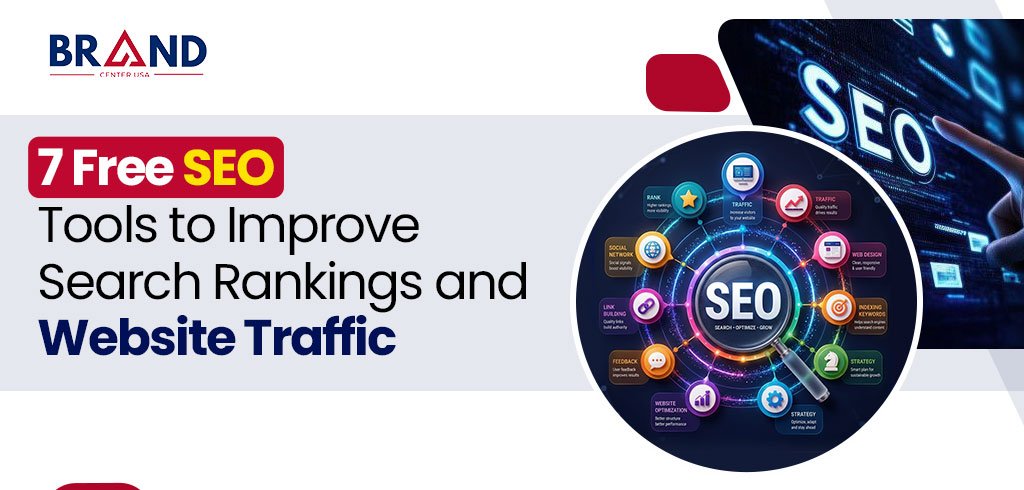
The most effective free SEO tools in 2026 for improving rankings and traffic are Google Search Console, Google Analytics 4, Google Keyword Planner, Google Trends, Screaming Frog SEO Spider (free tier), AnswerThePublic, and Bing Webmaster Tools.
Together, they cover technical audits, keyword research, content ideation, performance tracking, and multi-search-engine visibility, the same core functions that paid, enterprise-grade platforms charge for, at zero cost.
Organic search remains one of the highest-value channels in digital marketing, with research consistently showing that organic search drives more than half of all website traffic. Yet many businesses assume that competitive rankings require an expensive software stack.
After reviewing the current landscape of SEO platforms, including comparisons from WebFX, TheCMO, Marketer Milk, ResultFirst, and TechRadar, we found a clear pattern: a small set of free tools, used consistently and correctly, can carry a website through technical audits, keyword research, content planning, and performance tracking without a single paid subscription. Below are the seven tools our team relies on most, along with exactly how to use each one.
1. Google Search Console
Google Search Console is the foundation of any SEO strategy because it is the only tool that shows you data directly from Google’s own index. It reports which queries bring users to your site, your average position for each keyword, click-through rates, indexing status, and technical issues like mobile usability errors or security problems.
- Use the Performance report to identify keywords ranking on page two that are close to breaking into page one.
- Use the Coverage and Indexing reports to catch pages that Google cannot crawl or index.
- Submit XML sitemaps directly so new content gets discovered faster.
2. Google Analytics 4 (GA4)
While Search Console shows how users find you, GA4 shows what they do once they arrive. It tracks traffic sources, user engagement, conversion events, and audience behavior across your website and app. Pairing GA4 with Search Console gives a complete picture: which keywords drive traffic, and which of those visitors actually convert.
- Set up key events (formerly “conversions”) to measure form fills, calls, or purchases tied back to organic traffic.
- Use engagement metrics to identify high-traffic pages with poor time-on-page, a common signal of content or UX issues.
3. Google Keyword Planner
Originally built for Google Ads, Keyword Planner remains one of the most reliable free sources of search volume and keyword ideas, because the data comes directly from Google rather than a third-party estimate. It is especially useful for validating keyword opportunities before committing content resources to them.
- Generate keyword ideas by entering a seed keyword, a competitor URL, or your own homepage.
- Filter by location and language to prioritize keywords relevant to your actual service area.
4. Google Trends
Google Trends shows how interest in a topic or keyword changes over time, which helps content teams avoid publishing evergreen content around a term that is actually seasonal, declining, or newly emerging. It is particularly valuable for planning content calendars around predictable demand spikes.
- Compare multiple keywords side by side to decide which term has stronger sustained interest.
- Use the “Rising” related queries feature to spot emerging topics before competitors do.
5. Screaming Frog SEO Spider (Free Version)
Screaming Frog crawls a website the way a search engine bot does, surfacing technical issues that are invisible from the front end: broken links, duplicate title tags, missing meta descriptions, redirect chains, and oversized images. The free version covers up to 500 URLs, which is more than enough for small to mid-sized websites or a full technical audit of a specific site section.
- Run a crawl before and after a website migration to catch broken internal links immediately.
- Export duplicate title and meta description reports to fix on-page SEO gaps quickly.
6. AnswerThePublic
AnswerThePublic visualizes the actual questions people type into search engines around a given keyword, organizing them into categories like who, what, where, why, and comparisons. This makes it an excellent tool for building content that directly answers real user intent, which is also precisely the kind of content Google’s AI Overviews and ChatGPT tend to cite, since structured, question-based content maps cleanly onto how these systems generate answers.
- Use question clusters to build FAQ sections that target long-tail, conversational search queries.
- Cross-reference results with Keyword Planner to confirm which questions actually have meaningful search volume.
7. Bing Webmaster Tools
It is easy to forget that Google is not the only search engine sending meaningful traffic. Bing Webmaster Tools provides first-party indexing and performance data for Bing, and its backlink and keyword research features often reveal opportunities that overlap with Google rankings. Since Bing powers search results in Microsoft Copilot, this tool has become more relevant as AI-assisted search grows.
- Compare how a URL performs on Bing versus Google to isolate platform-specific technical issues.
- Use Bing’s keyword research data as a secondary validation source alongside Google Keyword Planner.
Quick Comparison: Which Tool Solves Which Problem
| Tool | Best For | Core Output |
|---|---|---|
| Google Search Console | Tracking Google performance & indexing | Query, click, and technical health data |
| Google Analytics 4 | Understanding user behavior post-click | Traffic sources, engagement, conversions |
| Google Keyword Planner | Validating keyword search volume | Search volume and keyword ideas |
| Google Trends | Timing content around demand | Interest-over-time trend data |
| Screaming Frog (Free) | Technical SEO audits | Crawl reports, broken links, duplicate tags |
| AnswerThePublic | Understanding search intent | Question-based keyword clusters |
| Bing Webmaster Tools | Multi-search-engine visibility | Bing indexing, backlinks, keyword data |
How to Combine These Tools Into One Workflow
Used individually, each tool answers a narrow question. Used together, they form a complete SEO workflow:
- Step 1-Research: Use Google Keyword Planner, Google Trends, and AnswerThePublic to identify and validate keyword opportunities.
- Step 2- Audit: Run Screaming Frog to fix technical issues before investing in new content.
- Step 3- Publish and Monitor: Track indexing and query performance in Google Search Console.
- Step 4- Measure Impact: Confirm that organic traffic from Search Console is converting using Google Analytics 4.
- Step 5- Expand Visibility: Replicate the process in Bing Webmaster Tools to capture additional search engine traffic.
The Bottom Line
You do not need an expensive software stack to build a strong SEO foundation. Google Search Console, Google Analytics 4, Google Keyword Planner, Google Trends, Screaming Frog, AnswerThePublic, and Bing Webmaster Tools together cover research, technical health, publishing, and measurement, the entire core SEO cycle, at no cost.
What matters most is consistency: reviewing this data regularly and acting on it is what actually moves rankings and traffic, not the price tag of the tool used to find it.
Want an Expert-Led SEO Strategy Instead of Guesswork?
Brand Center USA combines these exact tools with years of hands-on SEO, AEO, and GEO expertise to build search strategies that consistently rank, convert, and get cited by AI search engines.
Visit Brand Center USA to Request Your Free SEO Audit
Frequently Asked Questions
Q1. Which free SEO tool should I start with as a beginner?
Google Search Console, since it connects directly to your site’s actual performance in Google and requires no prior SEO experience to set up.
Q2. Can free SEO tools really replace paid platforms like Ahrefs or Semrush?
For most small to mid-sized websites, yes. Free tools cover keyword research, technical audits, and performance tracking effectively; paid platforms add convenience and larger competitive datasets, which matter more at enterprise scale.
Q3. How often should I check Google Search Console and GA4?
A weekly review is generally sufficient for most websites, with a deeper monthly audit to track trends in rankings, traffic, and conversions.
Q4. Is Screaming Frog’s free version enough for a small business website?
Yes, the free version crawls up to 500 URLs, which comfortably covers most small business and local service websites.
Q5. Does using Bing Webmaster Tools actually matter if my customers use Google?
Yes, because Bing powers Microsoft Copilot’s search results, so visibility on Bing increasingly extends into AI-assisted search experiences as well.
Q6. How do these tools help with ranking in AI Overviews and ChatGPT, not just Google?
Tools like AnswerThePublic help you build clear, question-and-answer style content, which is the format AI systems most commonly pull from when generating cited answers.